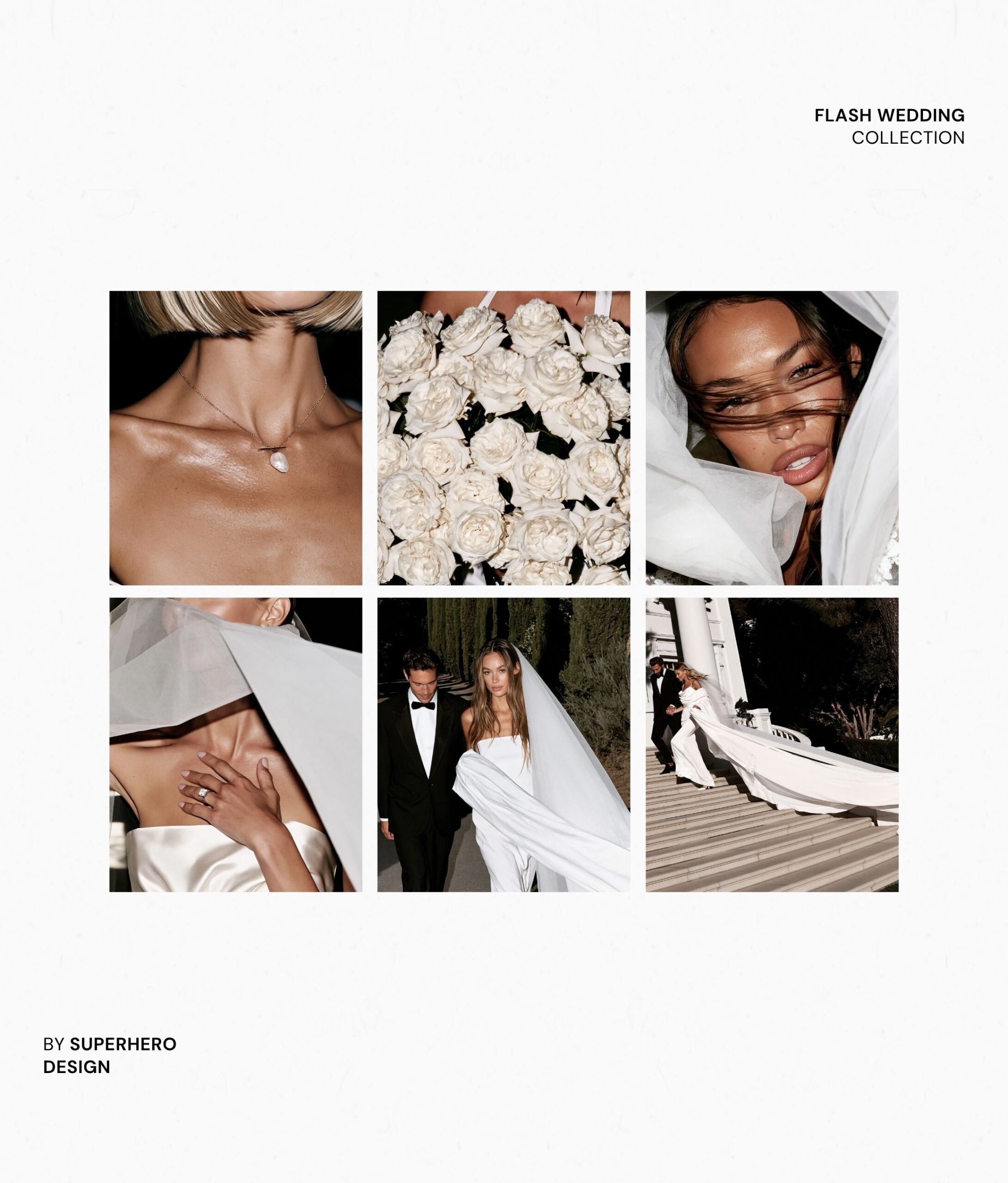
A cohesive stock photo collection is not twenty random images that happen to use the same color. It should feel like one photographer created the whole set on the same day, for the same brand, with a clear idea of where the images will be used.
That consistency is what makes AI stock photos useful for websites, templates and content. It is also the part most people skip. They start writing individual prompts before they have decided what the collection is supposed to look like.
Here is a simple process for planning a Midjourney stock photo collection that feels intentional instead of generated one image at a time.
Decide what the collection needs to do
Start with the end use. A collection for a wedding photographer needs different images than one for a business coach, product brand or template shop.
Write down the formats you need before opening Midjourney. For a website, that might include horizontal hero images with negative space, vertical portraits, square details, wider environmental shots and quiet background images for text sections. For Pinterest, you may need more vertical compositions. For Instagram, you may want a mix of full scenes and close crops.
This step keeps you from generating twenty versions of the same pretty image while missing the practical images that make the collection sellable or usable.
Create one visual code for the full set
Your visual code is the group of decisions you repeat across every prompt. Think of it as a tiny creative-direction guide.
Choose one answer for each of these:
- Audience: Who is this collection for?
- Setting: Where does the visual world take place?
- Palette: Which three to five colors keep appearing?
- Materials: Wood, linen, chrome, glass, stone, paper or something else?
- Light: Soft morning window light, direct flash, golden hour or bright studio light?
- Camera feel: Editorial, documentary, commercial, film-inspired or crisp studio photography?
- Mood: Pick three specific words instead of a vague word such as “luxury.”
- Styling rules: What clothing, props and finishes belong in the world?
- Avoid list: What would make the collection feel generic or off-brand?
If you need help choosing a visual direction first, read how to find stock photos that do not look generic. The same principles apply when you are creating the images yourself.
Build a shot list before you write prompts
A good collection has range without losing its identity. I like to plan the shot list in groups so the final set does not feel repetitive.
- Three to five establishing images that show the full environment
- Five to seven working or lifestyle images with a clear action
- Four to six close-up detail images
- Three to five simple compositions with room for website copy
- A few alternate crops or orientations for the strongest concepts
Change the subject, action and composition across the list. Keep the lighting, palette, materials and photographic finish steady. That balance gives you variety while preserving the visual thread.
Write one master prompt structure
Instead of inventing a new prompt every time, create one repeatable framework. The fixed parts describe the visual code. The variable parts describe the specific image.
A simple structure could look like this:
Create a [orientation] editorial stock photograph for [audience or brand type]. Show [specific subject and action] in [setting]. Include [intentional props and materials]. Use [lighting direction and quality], [camera angle and crop] and a [photographic finish] with realistic texture. Keep the palette limited to [colors]. Place the main subject [position in frame] with [amount and location of negative space]. The image should feel [three mood words]. Avoid [unwanted styling, expressions, props, text and common generation problems].
Be specific about the action. “Woman working” leaves too much open. “Woman in side profile comparing two printed layouts beside an open laptop” gives the scene a purpose. Be just as specific about composition if the image needs to hold a headline or button.
Change one important variable at a time
Consistency usually disappears when every new prompt changes the model, room, wardrobe, light, lens, palette and mood all at once.
Keep most of the master prompt fixed. Change the action first. Then test a new crop or camera angle. If you introduce a second person or location, carry the same visual code into that scene.
Save the exact wording that produces the right lighting and finish. You do not need to rewrite the successful parts just to make each prompt sound different. The viewer never sees the prompt. They only see whether the images belong together.
Run a quality-control pass on the full collection
Do not judge each image only on its own. Put the candidates into one board and look at the group.
Remove images that are technically pretty but visually louder, darker or more polished than the rest. Check hands, teeth, reflections, product labels, furniture and repeated background objects. Look for accidental clones, impossible details and props that change shape between images.
Then check usefulness. Do you have enough horizontal images? Is there real negative space for copy? Are all the people looking directly at the camera? Does every image have a busy background? A cohesive collection still needs different jobs to perform.
The Free AI Prompt Library includes a detailed brand-photo prompt and a practical result checklist. You can adapt that framework for stock images even when there is no reference person.

Make the final set easy to use
Export consistent sizes, use clear filenames and group the images by orientation or purpose. A simple name such as “editorial-coach-horizontal-hero-01” is much more useful than a folder full of generation numbers.
If the collection is for a website or Showit template, match the images to actual sections before calling it finished. If it is a product you plan to sell, include enough variety that a buyer can create a full page or week of content without repeating the same composition.
If you want the complete prompt system, The Midjourney Stock Photo Formula shows you how to turn one visual direction into a cohesive collection with a mood board code, 10 mood-board prompts and 20 stock-photo prompts. It is a short $47 training built for designers who want a repeatable process instead of more random generations.

Melissa Lunt is the founder of Superhero Design, a template shop specializing in high-converting Showit website templates for coaches, photographers, and creative entrepreneurs. With over 10 years of experience designing brands and websites, she helps business owners launch beautiful, strategic sites without the designer price tag or tech stress. Melissa is passionate about creating handcrafted templates that don’t just look custom—they actually book clients. When she’s not designing, you’ll find her drinking coffee, spending time with family and exploring the outdoors.
Explore Showit templates and launch resources at superherodesign.co.
Comments +